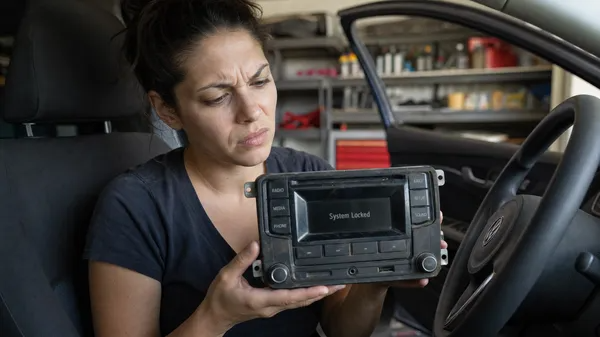

The Volkswagen Golf, a beloved and iconic hatchback, has graced roads worldwide for decades. While its driving dynamics and practicality are legendary, encountering a locked radio can quickly turn a pleasant drive into a frustrating silence. Whether it’s after a battery change, a fuse replacement, or simply reconnecting the unit, your Golf’s radio might display “SAFE” or ask for a code. This guide will walk you through understanding and resolving this common issue, getting your music back on track.
Why Your VW Golf Radio Locks
Like most modern car audio systems, your VW Golf’s radio is equipped with an anti-theft security feature. This system is designed to prevent the radio from being used in another vehicle if it’s stolen. When the radio loses its continuous power supply – for example, during a battery disconnection or replacement – it triggers this security protocol. The radio then enters a “SAFE” mode, requiring a unique 4-digit PIN to confirm it’s in its rightful vehicle.
This security measure, while effective against theft, can be an inconvenience for legitimate owners. It’s a common scenario for Golf owners across generations, from the Mk5 to the latest Mk8 models.
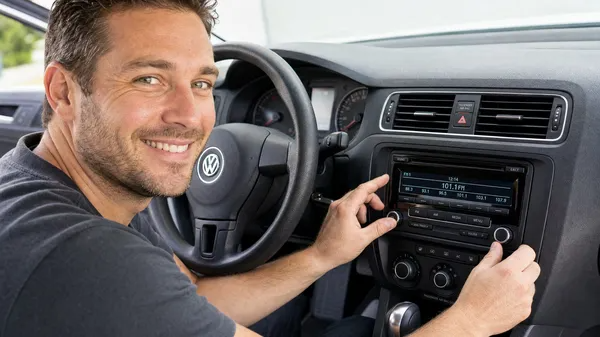
Finding Your VW Golf Radio Code
The first step to unlocking your radio is to find its unique 4-digit security code. Here are the most common places to look:
1.Owner’s Manual/Radio Card: The most straightforward method. Many Golfs come with a small card or sticker, often found in the owner’s manual wallet or glove compartment, specifically for the radio code. It might be labeled “Radio Pass,” “Code Card,” or similar.
2.Service History/Dealership Records: If you’re not the original owner or can’t find the card, check your car’s service history. Sometimes, dealerships record the code during maintenance. You can also contact a Volkswagen dealership directly with your car’s Vehicle Identification Number (VIN) and the radio’s serial number. Be aware that dealerships may charge a fee for this service.
3.Radio Unit Itself (Serial Number): If the code isn’t readily available, you’ll need to retrieve the radio’s serial number. This number (often starting with “VWZ” for Volkswagen units) is usually printed on a sticker on the side or top of the radio unit. Accessing it typically requires partially removing the radio from the dashboard. For some newer Golf models with MIB (Modular Infotainment Baukasten) systems, the serial number might be accessible through a hidden menu on the screen or via diagnostic tools like VCDS or OBDeleven without full removal.
4.Online Code Retrieval Services: Once you have the radio’s serial number, specialized online services like VWCODES.com can provide you with the correct unlock code quickly and efficiently. This is often a convenient and cost-effective alternative to dealership visits.

Entering the Code into Your VW Golf Radio
The method for entering the code can vary slightly depending on your Golf’s radio model (e.g., RCD 310, RCD 510, Discover Media). However, the general process involves these steps:
1.Turn on the radio: It should display “SAFE” or “1000” (or similar, indicating it’s ready for code entry).
2.Activate Code Entry: For many older models, you might need to press and hold a combination of buttons (e.g., SCAN and B, or MODE and SAFE) until the display changes to allow digit input.
3.Input the 4-digit code: Use the preset buttons (1-4) or the touchscreen (for newer units) to enter each digit of your code.
4.Confirm the Code: Once all four digits are entered, press and hold a specific button (often the > or SCAN button, or an “OK” button on touchscreen units) to confirm. If correct, the radio will unlock and resume normal function.
Important: If you enter the wrong code multiple times, the radio might enter “SAFE 2” mode, which requires a 60-minute waiting period with the ignition on before you can attempt to enter the code again. Always double-check your code before entering.

Conclusion
Dealing with a locked VW Golf radio can be a minor hurdle, but it’s a solvable problem. By understanding the anti-theft system and knowing where to find and how to enter your radio code, you can quickly restore your audio system. Keep your radio code in a safe, accessible place, and if you ever need assistance, reliable resources are available to help you get back to enjoying the drive.