
It’s a common scenario: you’ve finally got your Volkswagen radio code, you’re excited to get your music back, but then… you enter it incorrectly. Or perhaps you’ve tried a few times, and now your radio display shows “SAFE 2” or a similar error message. Don’t panic! This guide will walk you through exactly what these error messages mean, how to correctly handle them, and what steps to take to successfully unlock your VW radio.
Understanding VW Radio Error Messages
Volkswagen radios are equipped with an anti-theft system designed to prevent unauthorized use. If the radio is disconnected from power (e.g., during a battery change or repair) or moved to another vehicle, it will enter a locked state, typically displaying “SAFE” or “SAFE 1”. This requires you to enter a 4-digit security code.
SAFE 1 vs. SAFE 2
•SAFE 1 (or just “SAFE”): This is the initial locked state. You have a limited number of attempts (usually three) to enter the correct code. If you enter the code correctly, the radio unlocks.
•SAFE 2: This more severe lockout occurs after you’ve exhausted your allowed attempts (typically three incorrect entries). When “SAFE 2” is displayed, the radio will not allow further code entry immediately. Instead, it initiates a mandatory waiting period.
Dealing with the “SAFE 2” Lockout: The 60-Minute Rule
The “SAFE 2” message is often the most frustrating for car owners. It means the radio has temporarily blocked further code entry attempts. To reset this lockout and return to “SAFE 1” mode (where you can try entering the code again), you must follow a specific procedure:
1.Turn the ignition key to the “Accessory” or “ON” position. The engine does not need to be running, but the radio must be receiving power.
2.Ensure the radio is powered ON. The “SAFE 2” message should be displayed.
3.Leave the radio powered ON continuously for 60 minutes. During this time, the radio will not respond to any commands. Do NOT turn off the ignition, turn off the radio, or remove the key.
Expert Tip: If your car battery is old or weak, leaving the ignition on for 60 minutes can drain it. Consider using a battery maintainer/charger during this period, or if safe to do so, let the engine idle to keep the battery charged.
1.After 60 minutes, the display should change from “SAFE 2” back to “SAFE” or “1000” (depending on your radio model). This indicates that the radio is now ready for a new code entry attempt.
How to Correctly Enter Your VW Radio Code
Once your radio is back in “SAFE 1” mode, you can proceed with entering the correct 4-digit code. The exact method varies slightly by radio model:
•For older models (e.g., Alpha, Beta, Gamma): You typically use the preset buttons (1, 2, 3, 4) to enter each digit of the code, then press a confirmation button (often the “SCAN” or “DX” button).
•For RCD/RNS series (e.g., RCD 310, RCD 510, RNS 510): You usually use the numbered soft-touch buttons on the screen or physical buttons (1-4) to enter the code. Confirmation is often done by holding down a button like “OK” or “SCAN” or by pressing the right-hand knob.
•For MIB systems (e.g., Composition Media, Discover Media): These often feature a touchscreen interface where you can directly input the code using a virtual keypad.
Always refer to your specific radio model’s manual or a reliable online guide for the precise code entry sequence.
What if You Don’t Have the Correct Code?
If you’ve entered the code incorrectly multiple times, it often means the code you have is wrong, or you’re entering it incorrectly. In this situation:
1.Double-check your source: Ensure the code you have matches your radio’s unique serial number.
2.Verify serial number: If you’re unsure of your radio’s serial number, use non-invasive methods like checking documentation, hidden menus, or diagnostic tools (VCDS/OBDeleven) as described in our guide: VW Radio Serial Number: Find It Without Tools.
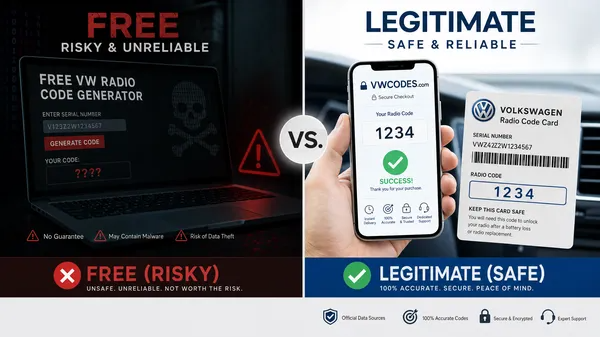
3.Obtain a new code: If your current code is incorrect, you will need to obtain the correct one. VW dealerships can provide this, or you can use a specialized online service like VWCODES.com, which can quickly generate the correct code based on your radio’s serial number.
Conclusion
Encountering a “SAFE 2” or other code error on your Volkswagen radio can be frustrating, but it’s a solvable problem. By understanding the anti-theft system’s logic, patiently following the 60-minute reset procedure, and ensuring you have the correct serial number and code, you can quickly restore your radio’s functionality. Remember, reliable online services are available to help you get the right code and get back to enjoying your drive.