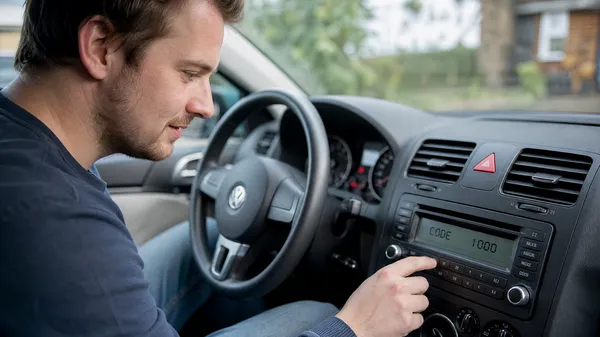

After changing a car battery, repairing the electrical system, or simply losing power to the radio, your Volkswagen radio might enter “SAFE” mode, requiring a four-digit security code to reactivate. This is a common frustration for many owners. Don’t worry—VWCODES.com is here with a detailed, step-by-step tutorial to help you easily unlock your VW radio and get your music and navigation back on track.
Why Does My VW Radio Need a Code?
Volkswagen radios are equipped with an anti-theft system. When the radio is disconnected from the vehicle’s power (like during a battery change), it enters a security mode that requires a unique code to prevent theft. It’s a great security feature, but it can be a bit of a hassle for the rightful owner to find and enter the code.
Step 1: Find Your Radio Security Code
This is the most critical step. You can find your radio code in several ways:
•Owner’s Manual or Service Records: Often, the radio security code is written on the first page of the owner’s manual, the back of the radio manual, or within the vehicle’s service records. Check these documents carefully.
•The Radio Itself: In some cases, the code might be on a small sticker on the side or top of the radio unit. This usually requires removing the radio from the dashboard. If you need help with removal, VWCODES.com has guides for that.
•VW Dealership: If you can’t find the code, you can contact your local VW dealership. They can usually provide the code using your Vehicle Identification Number (VIN), though they might charge a fee.
•Online Services: VWCODES.com offers an online service to find your code using your radio’s serial number. This is often faster and more convenient than a trip to the dealership.
Step 2: Enter Code Input Mode
Once you have your four-digit security code, the next step is to enter it into the radio. The method for entering code input mode can vary slightly between VW radio models, but it generally involves these steps:
1.Turn on the Ignition: Turn the key to the “ACC” or “ON” position without starting the engine.
2.Turn on the Radio: Ensure the radio is powered on and displaying “SAFE” or “SAFE 2.”
3.Hold the “SCAN” or “MODE” Button: For most VW radios, you’ll need to hold the “SCAN” or “MODE” button (sometimes “FM/AM” or “DX”) for a few seconds until the display changes from “SAFE” to “1000” or four flashing zeros.
•Note: If “SAFE 2” is displayed, it means you’ve tried the wrong code twice. You’ll need to leave the radio on for about an hour until it reverts to “SAFE” before you can try again.
Step 3: Enter the Security Code
When the display shows “1000” or four flashing zeros, you’re ready to enter your four-digit code. Typically, you’ll use the preset buttons (1, 2, 3, 4) on the radio to enter the code.
•First Digit: Press preset button “1” until the correct first digit is displayed.
•Second Digit: Press preset button “2” until the correct second digit is displayed.
•Third Digit: Press preset button “3” until the correct third digit is displayed.
•Fourth Digit: Press preset button “4” until the correct fourth digit is displayed.
Step 4: Confirm the Code
After entering all four digits, you need to confirm the code. Usually, you’ll hold the same “SCAN” or “MODE” button you used to enter code input mode for a few seconds until the radio beeps or starts functioning normally.
If the code is correct, the radio will unlock and resume normal operation. If it’s incorrect, the radio might display “SAFE” or “SAFE 2” again.
Troubleshooting Tips
•Double-Check the Code: Ensure you’re entering the exact code. A single wrong digit will cause the unlock to fail.
•Be Patient with “SAFE 2” Mode: If you enter “SAFE 2” mode, you must wait the full time (usually an hour) for the radio to reset, or you won’t be able to try again.
•Seek Professional Help: If you’ve tried everything and still can’t unlock your radio, or if you’re unsure about the process, contact a professional VW technician or visit VWCODES.com for further assistance.
Conclusion
Unlocking a VW radio might seem complicated, but with the right code and these step-by-step instructions, it’s a straightforward process. Enjoy your music and drive safely! VWCODES.com is dedicated to providing you with all the solutions and support for your Volkswagen radio needs.