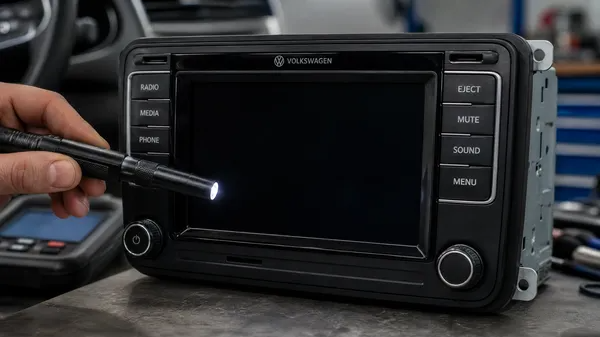

A dark, unresponsive display on your Volkswagen radio can be incredibly frustrating. Whether it’s completely black, flickering, or showing garbled text, a non-functional display makes it impossible to control your radio, navigate, or even use basic functions. At VWCODES.com, we understand how critical your infotainment system is to your daily driving experience. Here’s a comprehensive guide to diagnosing and fixing display issues.
1. Check the Brightness and Contrast Settings
Before assuming hardware failure, verify that the display settings haven’t been accidentally adjusted.
How to check:
•Look for a “Settings” or “Setup” menu on your radio.
•Navigate to “Display” or “Screen” settings.
•Check the brightness slider—it might be set to the lowest level, making the screen appear black.
•Adjust the contrast settings as well, as high contrast can sometimes cause display rendering issues.
•If you find the brightness was too low, increase it and see if the display comes back to life.
2. Inspect the Display Connector
Sometimes, the display cable can become loose or corroded, especially after years of vibration from driving.
What to do:
•Turn off the ignition and remove the key.
•Carefully remove the radio unit from the dashboard (consult VWCODES.com for model-specific removal guides).
•Locate the flat ribbon cable connecting the display to the main circuit board.
•Gently reseat the connector by unplugging it and plugging it back in firmly.
•Check for any visible corrosion or damage on the connector pins. If corroded, use a small amount of electronics cleaner and a soft brush.
•Reinstall the radio and test.
3. Perform a Hard Reset
A software glitch might be causing the display to malfunction while the radio itself is still operational.
How to reset:
•Disconnect the negative terminal of your car battery for 15 minutes.
•Reconnect the battery and turn on the radio.
•The system should reboot, and the display might come back online.
•Note: You may need to re-enter your radio code after a full reset. VWCODES.com can help you retrieve it if needed.
4. Check for Overheating
Excessive heat can cause LCD displays to fail temporarily or permanently. Modern car interiors can reach extreme temperatures, especially in summer.
Quick fix:
•Park your car in a shaded area or garage.
•Turn on the air conditioning and direct vents toward the dashboard.
•Wait 20-30 minutes for the system to cool down.
•Try turning on the radio again. If the display works after cooling, overheating was likely the culprit.
5. Assess Hardware Failure
If none of the above steps work, the display panel itself may be failing.
Next steps:
•Contact a professional VW technician or visit a dealership for a diagnostic scan.
•They can determine if the display panel needs replacement.
•Replacement costs vary depending on the model, but VWCODES.com can provide guidance on compatible replacement options.
Conclusion
A non-working VW radio display is usually fixable with basic troubleshooting. By checking settings, reseating connectors, and performing a reset, you can often restore functionality without expensive repairs. For all your VW radio needs, VWCODES.com is your trusted resource.