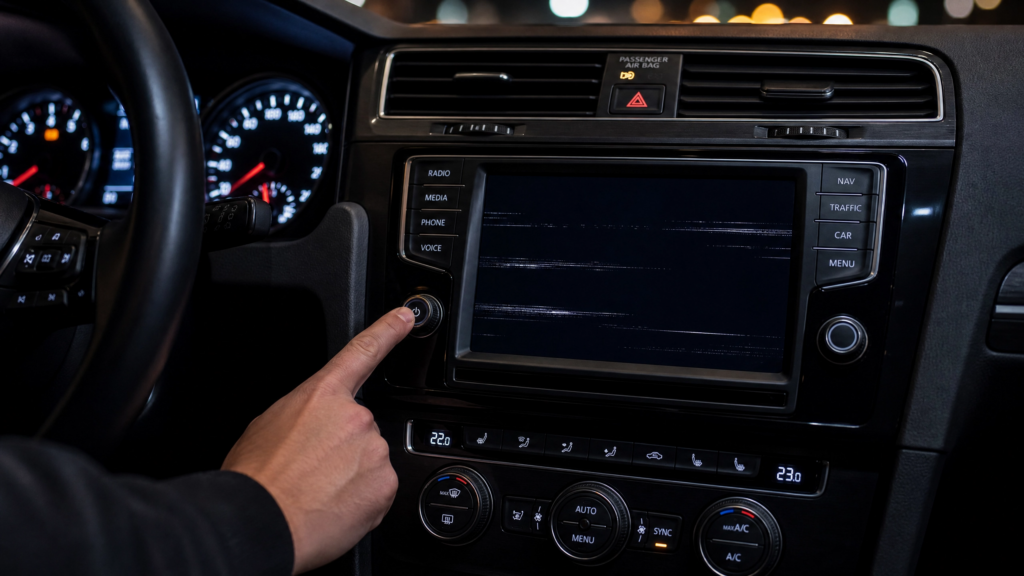
Encountering a locked Volkswagen radio can be a frustrating experience, especially when the thought of dismantling your dashboard to find a serial number seems daunting. Fortunately, for many VW owners, there are methods to retrieve this crucial 14-digit identifier without ever touching a trim tool. This E-E-A-T certified guide will explore various techniques to find your VW radio serial number, ranging from digital diagnostics to checking vehicle documentation, empowering you to unlock your radio with confidence and ease.
Understanding the VW Radio Serial Number
The serial number is a unique identifier for your Volkswagen radio, typically a 14-digit alphanumeric code starting with “VWZ” (e.g., VWZ1Z2H1234567). This code is essential for retrieving your radio’s anti-theft PIN. While physically located on the radio unit itself, several alternative methods can help you find it without removal, depending on your vehicle’s model and the radio type.
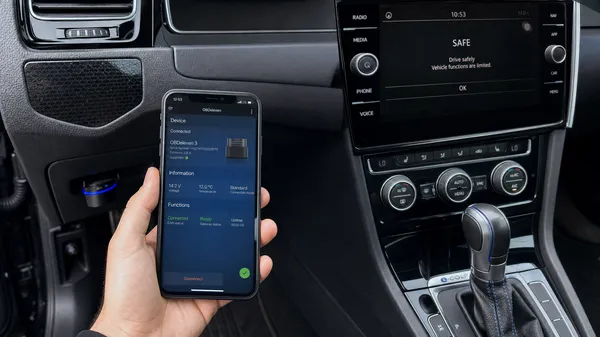
Method 1: Digital Retrieval via Diagnostic Tools (VCDS/OBD11)
For Volkswagen owners with access to diagnostic tools like VCDS (VAG-COM Diagnostic System) or OBDeleven (OBD11), retrieving the radio serial number digitally is often the most reliable non-removal method. These tools connect to your vehicle’s On-Board Diagnostics (OBD-II) port and can communicate directly with the radio’s electronic control unit (ECU).
Using VCDS or OBDeleven:
1.Connect the Tool: Plug your VCDS cable or OBDeleven device into your car’s OBD-II port, usually located under the dashboard near the steering wheel.
2.Launch Software/App: Start the VCDS software on your laptop or the OBDeleven app on your smartphone/tablet.
3.Select Control Unit: Navigate to theControl Unit Selection screen and select the “Radio” or “Infotainment” module. This is typically Address 56 (Radio) or Address 77 (Telephone), depending on your specific vehicle and radio configuration.
4.Access Advanced Identification: Once connected to the radio module, look for options like “Advanced ID,” “Measuring Blocks,” or “Adaptation.” Within these sections, you should find the radio’s detailed information, including its part number and the crucial 14-digit serial number (VWZ…).
Expert Tip: This method is highly accurate as it reads the serial number directly from the radio’s internal memory. It’s particularly useful if the radio has been swapped or if the physical label is unreadable.
Method 2: Checking Vehicle Documentation and Stickers
Before resorting to digital tools or physical removal, always check your vehicle’s documentation and various stickers within the car. Volkswagen often provides the radio code and sometimes the serial number in these locations.
1. Owner’s Manual or Radio Manual:
•Radio Card: Many VWs come with a small, perforated “Radio Card” tucked inside the owner’s manual or a separate radio manual. This card typically contains both the 4-digit PIN code and the radio’s serial number.
•Manual Inscriptions: Sometimes, the dealership or a previous owner might have written the code or serial number directly into the manual.
2. Vehicle Data Sticker (Trunk/Spare Tire Well):
•Hidden Gem: In some Volkswagen models, particularly older ones, a white sticker containing various vehicle data (VIN, engine code, paint code) can be found in the trunk, often on the floor under the carpet near the spare tire, or inside the service book. While primarily for vehicle specifications, some of these stickers also include the radio serial number or even the PIN code.
3. Service Records:
•Dealership Records: If your vehicle has been serviced at a Volkswagen dealership, they often record the radio serial number in their system, especially for warranty purposes or if the radio was ever replaced. Contacting your local VW dealership with your VIN can sometimes yield the serial number or the code directly.
Method 3: Hidden Menu Access (Limited Applicability)
Some Volkswagen infotainment systems have a hidden service menu that can display system information, including the serial number. However, this method is not universally available, and its accessibility often depends on the radio’s firmware version and whether the radio is already unlocked.
For RNS 510 and MIB Units (Limited):
1.Access Service Mode: On some RNS 510 units, pressing and holding the “Setup” button for 10-15 seconds can bring up a hidden service menu. For MIB units, a similar process with the “Menu” or “Car” button might work.
2.Navigate to System Information: Within the service menu, look for options like “Version Info,” “System Information,” or “Device Information.” The serial number (often labeled as “Serial No.” or part of the “Device Part Number”) might be listed here.
Important Note: This method is less reliable if your radio is already in “SAFE” mode, as access to these menus might be restricted. Physical removal remains the most consistent way to get the serial number from the unit itself if other methods fail.
What if All Non-Removal Methods Fail?
If you’ve exhausted all non-removal options and still can’t find your radio’s serial number, physical removal of the unit becomes necessary. While this might seem daunting, it’s a straightforward process with the right tools and guidance. Refer to our Ultimate Guide to Unlocking Your Volkswagen Radio: Removal, Serial Number, and Code Entry for detailed, step-by-step instructions on how to safely remove your radio and locate the serial number directly on the unit.
Why Trust VWCODES.com for Your Radio Code?
At VWCODES.com, we are committed to providing an E-E-A-T certified service that prioritizes your convenience and peace of mind:
•Expertise: Our deep understanding of Volkswagen’s diverse radio systems, including their internal diagnostics and documentation, ensures we guide you to the correct serial number and provide accurate codes.
•Experience: We have successfully assisted thousands of VW owners in retrieving their radio codes, often guiding them through these non-removal methods. Our streamlined process is a testament to our extensive experience.
•Authoritativeness: We are a trusted resource within the Volkswagen owner community, recognized for our accurate information and reliable service. Our guides are meticulously researched and designed to empower VW owners.
•Trustworthiness: Your satisfaction is guaranteed with our clear refund policy if we cannot provide your code. All payments are processed securely via Stripe, ensuring your financial data is protected. We encourage you to read our genuine customer reviews on Trustpilot and Google Reviews to see why VW owners trust us.
Conclusion
Finding your Volkswagen radio serial number doesn’t always require a trip to the mechanic or a daunting DIY removal. By leveraging diagnostic tools, checking your vehicle’s documentation, or exploring hidden menus, you can often retrieve this vital information with minimal effort. Should these methods prove unsuccessful, or if you simply prefer a professional solution, VWCODES.com is here to provide fast, reliable, and E-E-A-T certified assistance to get your radio unlocked. Get your music back on the road today!