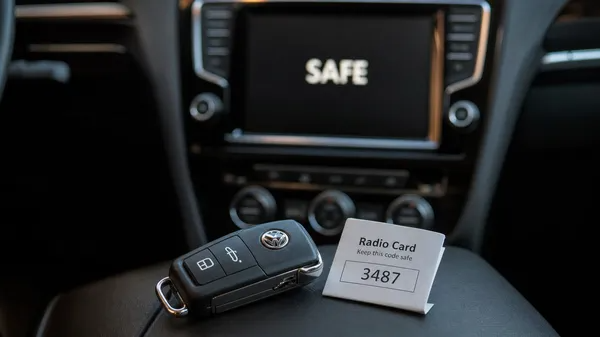

Has your Volkswagen radio suddenly stopped working, displaying “SAFE” or asking for a code? This common scenario usually happens after a battery change, a fuse replacement, or any power interruption. It’s a built-in anti-theft feature, and to get your tunes back, you’ll need a unique 4-digit PIN code. This guide will walk you through the most reliable ways to retrieve your VW radio code, ensuring you can unlock your stereo quickly and safely.
Understanding Your VW Radio Code
Every Volkswagen radio unit is assigned a unique 4-digit security code at the factory. This code is linked to the radio’s serial number, which typically starts with “VWZ” followed by 11 alphanumeric characters (e.g., VWZ1Z2A1234567). Without this code, your radio will remain locked in “SAFE” mode, preventing unauthorized use.
Where to Find Your VW Radio Code
There are several places where your radio code might be located. It’s always best to start with the easiest options:
1. Check Your Vehicle’s Documentation
•Owner’s Manual: The most common place to find your radio code is on a small, perforated “Radio Card” or a sticker within your car’s original owner’s manual or radio manual. This card is specifically designed to be kept safe. [1]
•Service Book: Sometimes, the code is written or stickered inside the vehicle’s service history book.
•Glove Compartment / Trunk: In some older models, a sticker containing the radio code might be found inside the glove compartment, on the underside of the trunk lid, or near the spare tire well. [2]
2. Contact a Volkswagen Dealership
If you can’t find the code in your documentation, a Volkswagen dealership can often retrieve it for you. You will typically need to provide:
•Your Vehicle Identification Number (VIN): This is usually found on your dashboard (visible through the windshield), on the driver’s side door jamb, or on your vehicle’s registration documents.
•The Radio’s Serial Number: While some dealerships can retrieve the code with just the VIN, many will require the radio’s serial number. This often means removing the radio unit to access the label on its casing. [3]
•Proof of Ownership: Be prepared to show your vehicle registration and personal identification to prove you are the legitimate owner.
Note: Dealerships may charge a fee for this service, and the process can sometimes take time.
3. Use a Professional Online Radio Code Service (Recommended)
For many Volkswagen owners, using a reputable online radio code retrieval service offers the fastest and most convenient solution. These services specialize in generating codes from your radio’s serial number, often providing the code within minutes or hours, without the need for a dealership visit or exorbitant fees.
How it works:
1.Locate Your Radio’s Serial Number: This is the most crucial step. The serial number is a 14-digit code typically found on a sticker on the side or top of the radio unit itself. It usually starts with “VWZ” (e.g., VWZ1Z2A1234567). If you’re unsure how to find it, many online services (like VWCODES.com) provide detailed guides, including methods that don’t require removing the radio. [4]
2.Submit Your Serial Number: Enter the serial number into the online service’s secure platform.
3.Receive Your Code: The service will process your request and email you the correct 4-digit PIN code.
Why choose an online service?
•Speed & Convenience: Get your code quickly from the comfort of your home.
•Cost-Effective: Generally more affordable than dealership fees.
•Expertise: Specialized in VW radio systems, ensuring accuracy.
•Security: Reputable services use secure payment gateways (like Stripe) and offer clear refund policies.
How to Enter Your Radio Code
Once you have your 4-digit code, entering it into your radio is usually a straightforward process. The exact button sequence can vary slightly by radio model, but the general steps are:
1.Turn on the radio: It should display “SAFE” or “1000” (four dashes).
2.Access Code Entry: If it shows “SAFE”, press and hold the SCAN and RBDS buttons simultaneously (or sometimes MODE and SCAN) until “1000” appears.
3.Enter the Code: Use the preset buttons (usually 1-4) to input each digit of your code.
4.Confirm: Press and hold the SCAN or SEEK button (or sometimes the right arrow/”OK” button) until the radio accepts the code and resumes normal operation.
For a detailed guide on entering your code and handling the “2SAFE” lockout, please refer to our comprehensive article: Volkswagen Radio SAFE Mode: The Complete Guide to Resetting and Unlocking Your Stereo
Conclusion
Getting your Volkswagen radio code doesn’t have to be a headache. By knowing where to look in your documentation, understanding when to contact a dealership, or utilizing a fast and reliable online service, you can quickly retrieve the necessary PIN. Once you have your code, follow the correct entry procedure, and you’ll be enjoying your music on the road again in no time. For all your VW radio code needs, VWCODES.com is here to provide accurate codes and expert support.