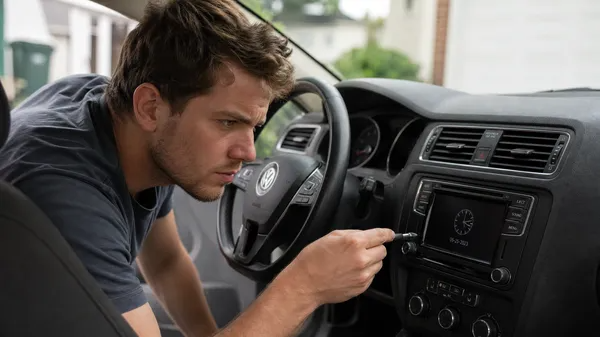

Volkswagen vehicles are known for their reliability, but even the most robust cars can encounter minor issues. One common and frustrating problem is when the radio simply won’t turn on. You start your car, only to find a black screen and silence. Don’t worry—VWCODES.com is here with a detailed troubleshooting guide to help you diagnose and fix the issue.
1. Check the Fuses: The Most Common Culprit
One of the most frequent reasons a radio won’t turn on is a blown fuse. Your car’s electrical system is protected by various fuses to prevent damage from power surges. If the fuse for the radio circuit blows, it won’t receive any power.
How to Check:
•Locate the Fuse Box: Usually found under the driver-side dashboard, in the engine compartment, or in the trunk. Consult your vehicle’s owner’s manual for the exact location.
•Identify the Radio Fuse: The manual will have a diagram showing what each fuse does. Look for one labeled “Radio,” “Audio,” or with a radio icon.
•Inspect the Fuse: Carefully remove the radio fuse. If the metal wire inside is broken or charred, it’s blown. You can use a fuse tester for a more accurate check.
•Replace the Fuse: Swap the blown fuse with a new one of the same amperage. Never use a higher-amperage fuse, as this can cause serious electrical damage.
2. Inspect Battery Connections: Power Supply Issues
Loose or corroded battery connections can also prevent your radio from working correctly or even turning on at all. While this usually affects the entire vehicle’s electrical system, sometimes it can impact specific components.
How to Check:
•Check Battery Terminals: Ensure the positive and negative terminals are tight and free of corrosion. If you see buildup, clean it with a battery terminal cleaner and a brush.
•Check Ground Wires: The radio needs a solid ground to function. Check that the ground wire on the radio or the vehicle’s frame is securely connected.
3. Reset the Radio: Software Glitches
Sometimes, the radio just experiences a temporary software glitch that a simple reset can fix. This is similar to restarting a computer to resolve minor bugs.
How to Reset:
•Disconnect the Battery: The most thorough reset is to disconnect the negative terminal of your car battery for about 10-15 minutes. This clears the radio’s temporary memory. Note that you might need your radio code to get it working again after reconnecting. If you don’t have it, VWCODES.com can help you retrieve it.
•Hold the Power Button: Some VW radio models allow a soft reset by holding the power button for several seconds. Check your radio’s manual for specific instructions.
4. Inspect the Radio Itself: Hardware Failure
If none of the above steps work, the problem might be with the radio unit itself. Internal component failure, damaged wiring, or simple age can cause a radio to stop turning on.
Possible Solutions:
•Professional Diagnosis: It’s recommended to take your vehicle to a professional repair shop. They have specialized diagnostic tools to determine if the radio unit is faulty.
•Replace the Radio: If the radio is indeed broken, it may need to be replaced. You can choose an OEM unit or a compatible aftermarket radio.
5. Seek Professional Help
If you’re unsure about checking and repairing things yourself, or if none of the methods above work, always seek professional help. VW dealerships or specialized car audio repair shops have the expertise and tools to diagnose and fix these issues.
Conclusion
A VW radio that won’t turn on is a frustrating problem, but by systematically checking fuses, battery connections, trying a reset, and seeking professional help when needed, you can usually find a solution. Remember, VWCODES.com is always your reliable source for information and services related to your Volkswagen radio.