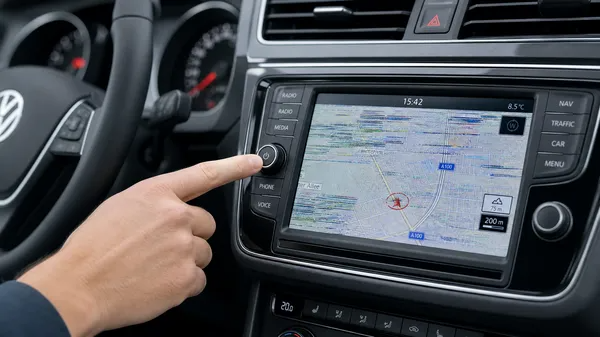

There’s nothing more annoying than driving your Volkswagen and having the infotainment screen suddenly freeze. Whether it’s stuck on the boot logo, a specific radio station, or the navigation map, a frozen screen can be a major distraction. At VWCODES.com, we understand how vital your car’s tech is to your daily commute. Here are the most effective quick fixes to get your VW radio screen back in action.
1. The Hard Reset: The 10-Second Rule
Most modern Volkswagen infotainment systems (like the MIB1, MIB2, or MIB3) have a built-in hard reset function that doesn’t require any tools. This is the first thing you should try.
How to do it:
•Locate the power/volume knob on your radio.
•Press and hold the knob down for at least 10 to 15 seconds.
•The screen will go black, and you should eventually see the VW logo reappear as the system reboots.
•Release the button once the reboot begins.
2. Check for Overheating
On hot summer days, car electronics can struggle. If your car has been sitting in the sun, the infotainment system might freeze as a safety measure to prevent internal damage.
Quick Fix:
•Park in the shade or a garage if possible.
•Turn on the air conditioning and direct the vents toward the dashboard area.
•Wait about 10-20 minutes for the system to cool down before attempting another reboot.
3. Remove External Media
Sometimes, a corrupted file on a USB drive or an SD card can cause the entire system to hang while it tries to read the data.
What to do:
•Eject any SD cards from the slots (usually found in the glovebox or on the unit itself).
•Unplug any USB drives or phone charging cables.
•Perform the hard reset mentioned in Step 1 again. If the system works fine without the external media, you likely have a corrupted file or a faulty drive.
4. Update Your Software
If your screen freezes frequently, it might be due to a software bug that has been addressed in a newer firmware version.
How to check:
•Go to the “Settings” menu on your radio (if you can navigate it).
•Look for “System Information” or “Software Update.”
•Compare your version with the latest ones discussed in VW forums or check with a local dealer. Keeping your system updated is a key recommendation from VWCODES.com for long-term reliability.
5. When to See a Professional
If the screen remains frozen despite multiple reset attempts, or if it shows strange lines or artifacts, you might be facing a hardware failure. In this case, a professional diagnostic is necessary to determine if the unit needs repair or replacement.
Conclusion
A frozen VW radio screen is usually just a temporary software hiccup. By using the hard reset method or checking your external media, you can often fix the problem in minutes. For more expert tips and radio code services, always visit VWCODES.com.